To start registration, click on registration link provided in email.
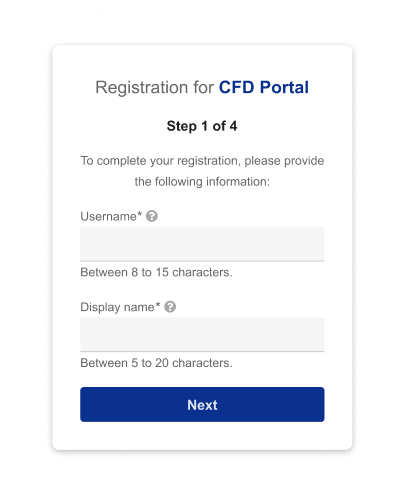
Input username and Display name on the Registration Page
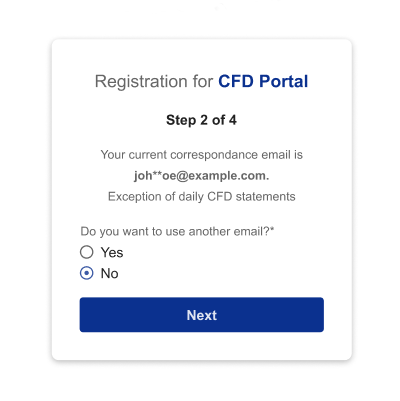
Select ‘No’ if you would to keep the correspondence email address same as your daily CFD statement.
If you click ‘Yes’. Please input another email address that is different from your correspondence email.
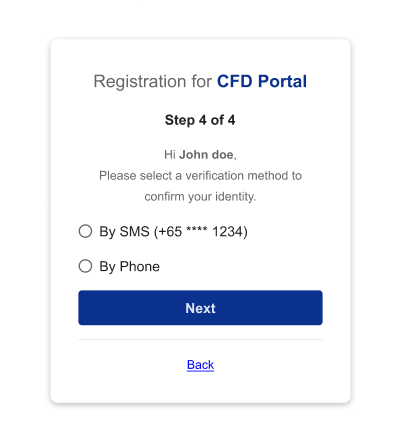
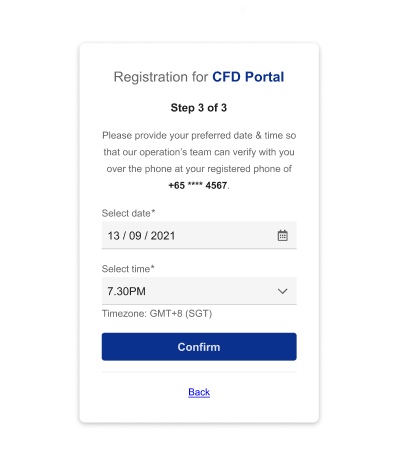
Choose your verification method. If you select “By Phone”, you will be directed to a page to select phone appointment date & time
Select Date & Time for our support team to call you
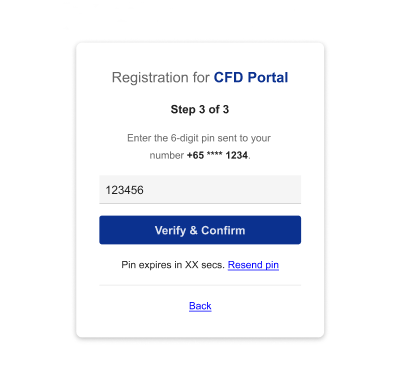
Input OTP received via SMS or via support phone call
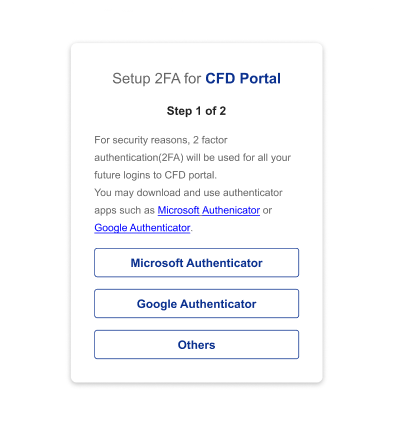
Select your preferred authenticator app
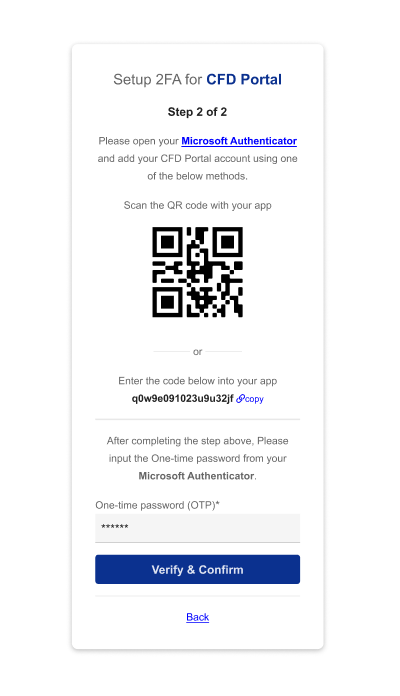
Scan QR Code or copy the unique code to link to your preferred Authenticator application on your mobile phone.
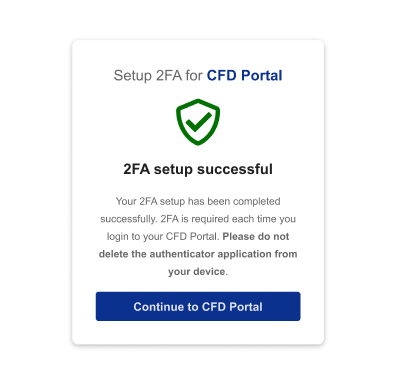
2FA Set up is completed and you can immediately login to your CFD Portal